Technology / The stack

A real build,
not a render

Krump Battles is a standalone Unity executable that has been deployed to public venues and run unattended for hours at a time. Everything below is shipping code, not a proposal.

Stage 01 Capture and segmentation

Cutting a performance
into playable actions

A krump round is continuous. A game needs discrete, interruptible units. The first stage of the pipeline is the translation between the two: raw motion capture takes are segmented into individual actions, each with a clean entry and exit pose so it can be triggered at any point and blended back to neutral without a pop.

Cleanup work sits here too — foot sliding, jitter and contact correction — because at projection scale the audience is watching a body they recognise, and the errors a small screen forgives become obvious at two metres tall.
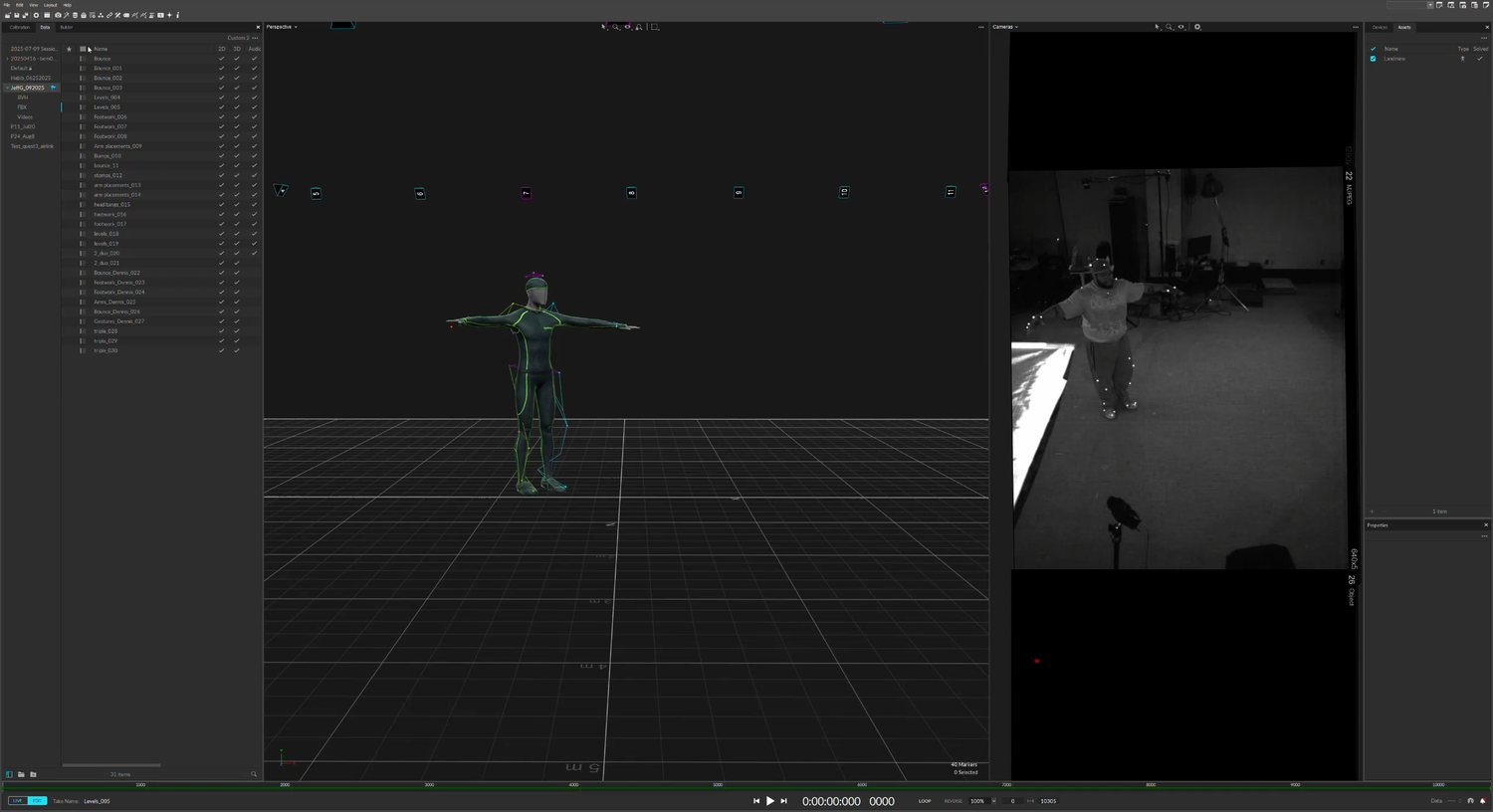
Motion capture software showing a solved skeleton in a 3D viewport alongside two reference video panels of the dancer
Capture session — the solved skeleton, beside its reference video
Stage output
InputRaw motion capture takes, per dancer
OutputDiscrete .anim clips: bounce idle, jab, whip, stomp, transitions
Volume5–6 clean actions per character, across 3 characters
CleanupFoot contact, jitter, pose correction
ConstraintEvery clip must loop or resolve back to the bounce

Stage 02 Retargeting and likeness

Putting the motion
back on the right body

Motion captured from one body does not simply play back on another. A heavier dancer moves with different weight distribution than a lighter one, and if the retarget is naive that difference is exactly what gets lost.

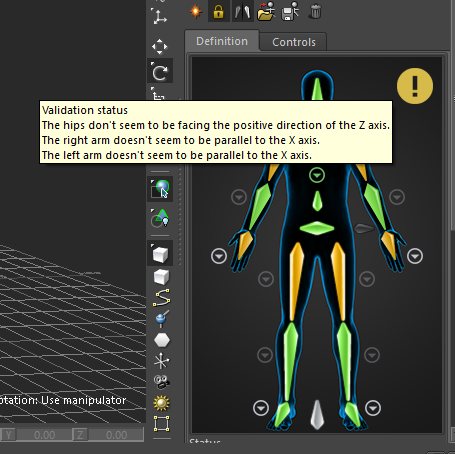
Rig definition panel mapping capture skeleton joints onto the avatar hierarchy, with validation warnings about axis alignment
Bone mapping — every joint paired by hand, with the validator flagging axis problems before they reach the clip
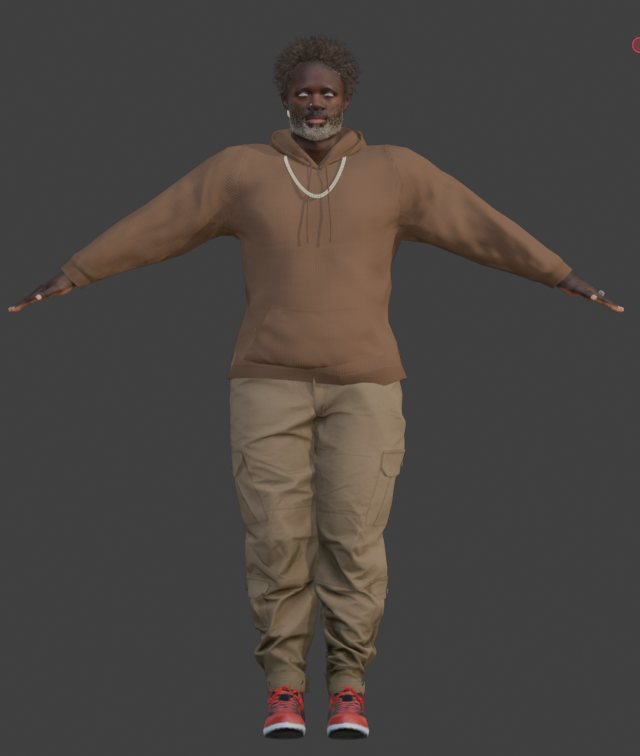
The Landmine avatar standing in a neutral pose on its Character Creator 5 rig
The rig — a Character Creator 5 avatar built to the dancer's own proportions
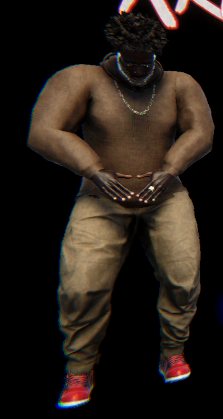
The same avatar lit in engine, holding a krump stance
In engine — the same avatar lit, holding a stance from its own capture

Each dancer gets a rig built to their own proportions, with bone mapping and pose correction tuned so their motion still reads as theirs after the transfer. This is the step that makes the roster meaningful: without it, three characters would be three skins over one animation set.

It is also the step that makes the roster a product rather than a set of one-offs. The mapping work is the same shape every time, which is what puts a price and a schedule on adding a fighter.

Stage output
RigCustom Character Creator 5 avatar, per dancer
MappingExplicit bone mapping from capture skeleton to CC5 hierarchy
CorrectionPer-bone pose correction to preserve proportion and weight
LikenessFace, build and battle clothing modelled to the dancer
Engine targetUnity, HDRP materials and lighting

Stage 03 Animator and input

The part that makes it
a game instead of a video

Clips are authored into a Unity Animator controller using blend trees and state machines, then driven by Unity’s Input System so a physical button resolves to a transition in real time.

Input map
Arcade stickA Jab    B Whip    Y Stomp
KeyboardSpace Jab    L Shift Whip    D Stomp
GamepadXbox controller, same action map
Select screenPer-player joystick binding, saved and carried into the battle scene
PlayersTwo, locally, on independent devices
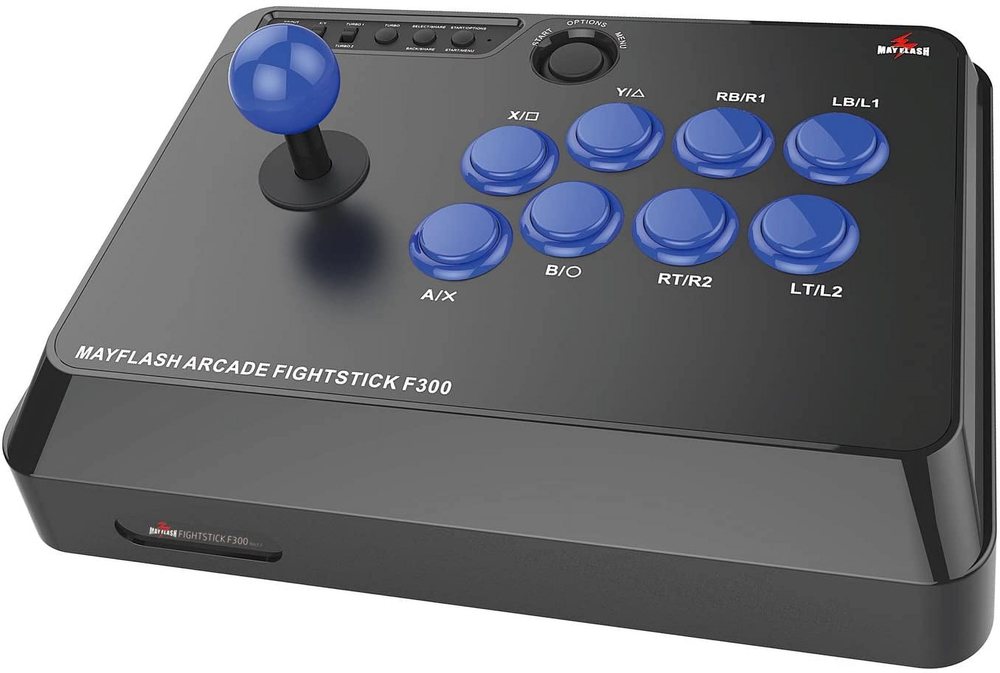
An arcade fightstick with a ball-top joystick and eight face buttons
The hardware — the arcade stick the action map is built around, mounted in the pedestal at the events

Blend trees over hard cuts

Moves do not snap. The controller blends out of the bounce into the action and back again, which is what preserves the continuity a dance form depends on and a punch-trading fighter does not need.

Device binding survives the scene load

Each player’s chosen character and physical joystick are captured at the select screen and carried into the battle scene, so two sticks at one cabinet stay attached to the right fighters.

Input is abstracted

Arcade, gamepad and keyboard all resolve through a single action map. A new control surface — a floor pad, a camera-based input — is a binding change, not a rewrite.

Stage 04 Render and projection

Built to be thrown
onto a wall

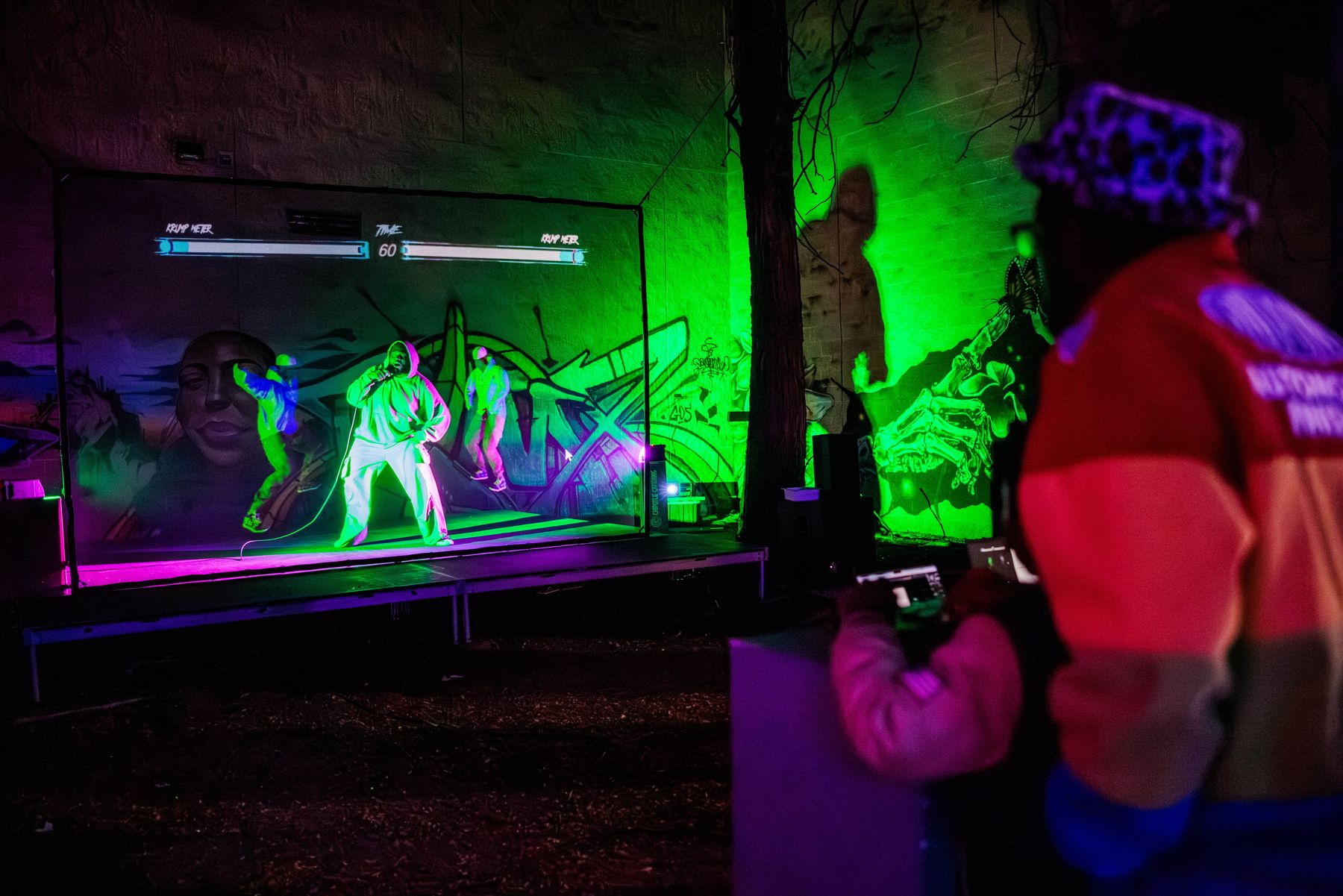
Most games assume a rectangle in front of one person. This one assumes a concrete surface in front of a crowd, and the render path is built for that from the start.

The projection wall at an event, showing the Krump Meter bars and round timer above the battle scene
The shipped HUD as projected: Krump Meter per player, round clock centre

Render texture compositing

The scene, the HUD and each player are rendered to separate render textures and composited into mapped quads. That separation is what lets the output be reshaped to fit an irregular surface without re-authoring the scene.

Silhouette pass

A dedicated masking camera renders flat-colour silhouettes of the players on their own layer. On a projection surface a silhouette holds up where a fully lit model washes out, and it lets a live dancer read against their avatar.

Post stack tuned for projectors

Bloom, chromatic aberration, noise, motion blur and aggressive contrast. These are the art direction, but they are also a practical response to projected output, where contrast is the first thing a room steals from you.

Stage 05 Deployment

It has to survive
a real venue

The build ships as a standalone Windows executable driving a projector and one or two arcade sticks. At an activation that means hours of continuous operation, handled by people who did not build it, in the dark, in the cold, with a queue waiting.

Three events in, the constraints that actually matter are known: calibration time, input recovery, and readability at distance. Those are the notes driving the next build rather than guesses about them.

A child at the arcade joystick pedestal playing the build while a crowd watches in the dark
In the field — the pedestal running unattended, open to anyone who walked up
Deployment profile
DistributionStandalone Windows executable
EngineUnity, HDRP render pipeline
DisplayProjector, mapped to an irregular surface
ControlsArcade joystick pedestal, Xbox controller, keyboard
OperationRuns unattended between rounds; no operator console required
DeployedThree public activations

Roadmap / Engineering

What the next
build adds

Sequenced by dependency, not by wish. Each item below unblocks the one after it.

Combat systems

  • Powerups — a spend for a full meter, so the bar drives decisions
  • Hit and impact FX — a visual language for a landed move
  • Move expansion — beyond the core three, per character
  • Round and match structure — best of three, call-outs, crew format

Audio

  • Music bed — the beat is the clock in a real battle
  • Move sound design — impact and weight cues
  • Beat-aware timing — scoring that understands the track

Content pipeline

  • Capture-to-character tooling — cut the per-dancer cost
  • Roster scaling — more dancers, more styles
  • Stage and environment variety — venues want their own room

Platform

  • Venue installer — calibration a house crew can run
  • Home build — the same roster on a screen
  • Online play — the long lead item, scoped after local is solid

See it deployed  →